How to Invite Friends in Extreme Soccer
Build owner parties, chase Team Player progress, and make 3v3 street soccer playable after the delist.
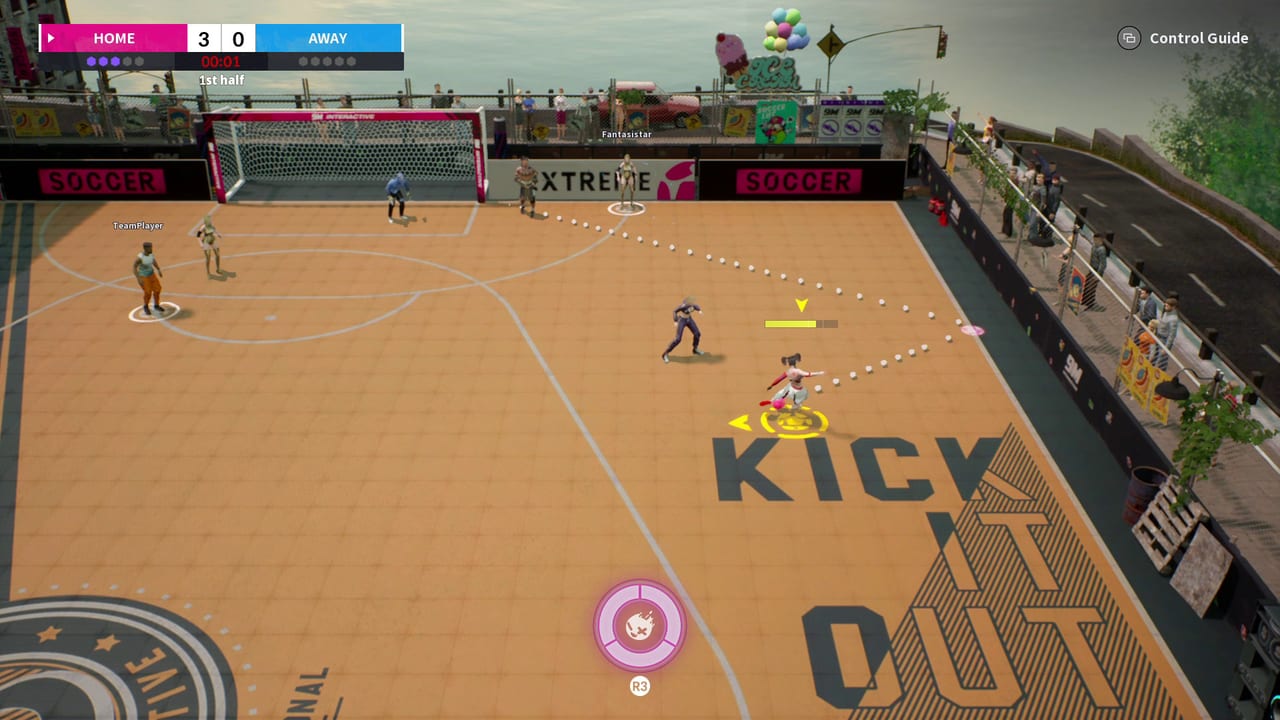
Inviting friends is the quality-of-life skill that keeps Extreme Soccer alive for many Steam owners. The title is a competitive online 3v3 street soccer game by 9M Interactive (AppID 1477730). It launched into Early Access on February 4, 2021, sits on Mixed reviews near sixty-four percent positive, and has had purchase disabled since December 2021. Existing owners can still play, but strangers are scarce. A two- or three-person owner party turns a fragile public queue into a planned session.
Use this page with Find Matches for population expectations, Steam Status for ownership limits, Team Play for roles once everyone is in, and How to Win for closing scripts. New or rusty players should skim How to Play before the first party night. Character picks live in Players and Tier List; inputs in Controls; helpers in Tools; tone in Review; history in Updates; destinations in the Links Hub. Browse siblings from the Guides Hub.
Why invites matter more after delist
When a multiplayer sports game is actively sold, random matchmaking can paper over weak social tools. Extreme Soccer no longer has that luxury. Every teammate or opponent must already own the product. Invites are not a nicety — they are the primary way to guarantee human rotations, shared callouts, and rematches worth your evening.
Steam also tracks social progress. The Team Player achievement line rewards inviting online friends. Community unlock rates historically treat repeated-invite goals as rare compared with first goal or first win. That rarity is a hint: build a repeatable invite habit, not a one-off experiment. Achievement details and a full twelve-achievement map sit on Achievements.
Ownership gate before you send invites
Before you spam invites, confirm the hard rule:
- You own Extreme Soccer in your Steam library.
- Your friend also owns Extreme Soccer in theirs.
- Both clients launch and reach online multiplayer menus.
- Steam friends lists show each other as available.
If a friend only sees a store page with purchase disabled, they cannot legally join through the normal Buy button. Explain that clearly using Steam Status instead of sending them in circles. This wiki does not document grey-market keys.
Practical Steam + in-game invite flow
Exact button labels can vary by build and overlay, but the reliable owner workflow looks like this:
- Schedule first. Agree a fifteen-minute launch window in Steam chat.
- Launch together. Staggered launches of thirty-plus minutes often miss each other in a low-population title.
- Use Steam friends. Right-click invite / join patterns through the Steam overlay remain the most universal coordination layer even when in-game UI is quiet.
- Use in-game friend or party prompts when they appear after you are both in Extreme Soccer.
- Confirm the lobby. Voice or text “I am in” before anyone queues into a public fill.
- Rematch on purpose. Chemistry compounds across games; dissolving after one loss wastes the invite effort.
If join fails, verify online status, restart both clients once, and re-check ownership. Persistent launch failures belong under support paths listed on the Wiki Hub.
Building a 3v3 owner stack
Ideal stack: three owners who already understand street-court roles. Acceptable stack: two owners plus one random or bot fill, with the duo carrying communication. Risky stack: three strangers with no plan — still playable, but invite value is lower.
Pre-match agenda (five minutes):
- Who presses first on kickoff?
- Who owns the strong-side wall?
- Who is the late runner / outlet?
- Which two abilities should not fire in the same second?
- What is tonight’s goal — wins, assists, Team Player invites, or pure mechanics?
Those questions connect directly to Team Play and How to Win. Skipping them is how friend groups recreate solo-queue chaos with better headsets.
Team Player achievement angle
Play the social achievements honestly:
- Invite friends you actually intend to play with.
- Space sessions so invites are real events, not spam clicks into empty clients.
- Track progress on Achievements so you know whether you need more invites, more wins, or more streak discipline.
- Pair invite nights with a soccer focus — wall triangles, assist hunting, or lead protection — so the session is not pure checklist grinding.
Team Player progress should make your lobby healthier. If invites never convert into matches, fix scheduling and Find Matches expectations before blaming the achievement.
Communication defaults for street 3v3
Extreme Soccer’s assisted passes and physics walls punish silence. Adopt short calls:
- “I press”
- “I wall”
- “Outlet”
- “Ability ready”
- “Hold lead”
Controller users should set overlays and push-to-talk before queue; see Controls and the Control Cheatsheet. Keyboard players need the same call discipline even if movement feel differs.
When teaching a returning friend, send them How to Play the day before. Do not explain five characters, wall physics, and invite UI in the same frantic minute the lobby opens. Character compare grids in Tools help parties draft without argument.
Coordinating around low population
Friend invites do not create opponents from thin air. They create a stable team core. Still use Find Matches tactics for the remaining seats:
- Queue when multiple owner friends overlap.
- Accept that some nights end in drills against weaker fills.
- Keep a backup plan: custom practice focus, achievement cleanup, or watching a real Steam gameplay reference after updating fundamentals.
- Avoid promising newcomers a packed esports ladder; point them at Review and Extreme Soccer vs Freestyle-Style Street Soccer for honest framing.
A healthy invite culture is patient and specific. “Anyone on Extreme Soccer at 8?” beats “queue whenever.”
Session templates you can copy
Achievement night: ten minutes of invite/lobby checks, then chase Team Player plus assist or win goals from Achievements. Mechanics night: two owners lock roles, spend possessions on wall banks from Wall Physics, ignore highlight hunting. Compete night: full trio, rematch block, apply How to Win scripts, review one failure clip verbally after each game. Onboarding night: one veteran, one rusty owner; veteran takes simple press jobs while the returner relearns touches from How to Play.
Rotate templates so friends do not burn out on pure grind or pure chaos.
Common invite failures
- Inviting someone who does not own the delisted game.
- Launching two hours apart and calling matchmaking broken.
- No role plan, then blaming teammates for double-pressing.
- Chasing Team Player clicks without ever entering a match.
- Disbanding after the first concession instead of rematching.
- Teaching every system at once during lobby countdown.
Fix ownership first, timing second, roles third. That order solves most “friends can’t play” complaints.
After the lobby fills
Once your party is set, stop tinkering with invite menus and play soccer. Use How to Score for finishing jobs, Wall Physics for bounce patterns, and Players if someone needs a character swap mid-session. If public fill never arrives, keep the party together for drills rather than rage-quitting into separate solo queues.
Invites are how Extreme Soccer’s 3v3 fantasy still happens in 2026 for owners: not through a booming storefront, but through deliberate coordination. Master that social loop, then let the sport guides sharpen what you do after kickoff.
Frequently Asked Questions
Quick answers to the most common questions.
Can I invite a friend who does not own Extreme Soccer?
They need the game in their Steam library. Purchase has been disabled since December 2021, so new store buys are not available.
What is the Team Player achievement?
It is part of Extreme Soccer’s twelve Steam achievements and tracks inviting online friends. Plan real play sessions, not empty invite spam.
Steam invite worked but we still cannot play together. Why?
Check online status, simultaneous launches, and that both clients reach multiplayer menus. Then retry party flow before long public queues.
Is a two-friend party enough?
Yes. A duo with clear roles often beats three silent solo queue players. Simplify jobs for any random or bot third.
Should we rematch or re-invite every game?
Rematch while chemistry is warm. Re-invite when someone drops, not after every whistle if the lobby is stable.
What should friends read before party night?
How to Play for basics, Team Play for roles, Find Matches for population expectations, and How to Win for closing habits.