Extreme Soccer Controller & Gamepad Guide
Play Extreme Soccer with full controller support.
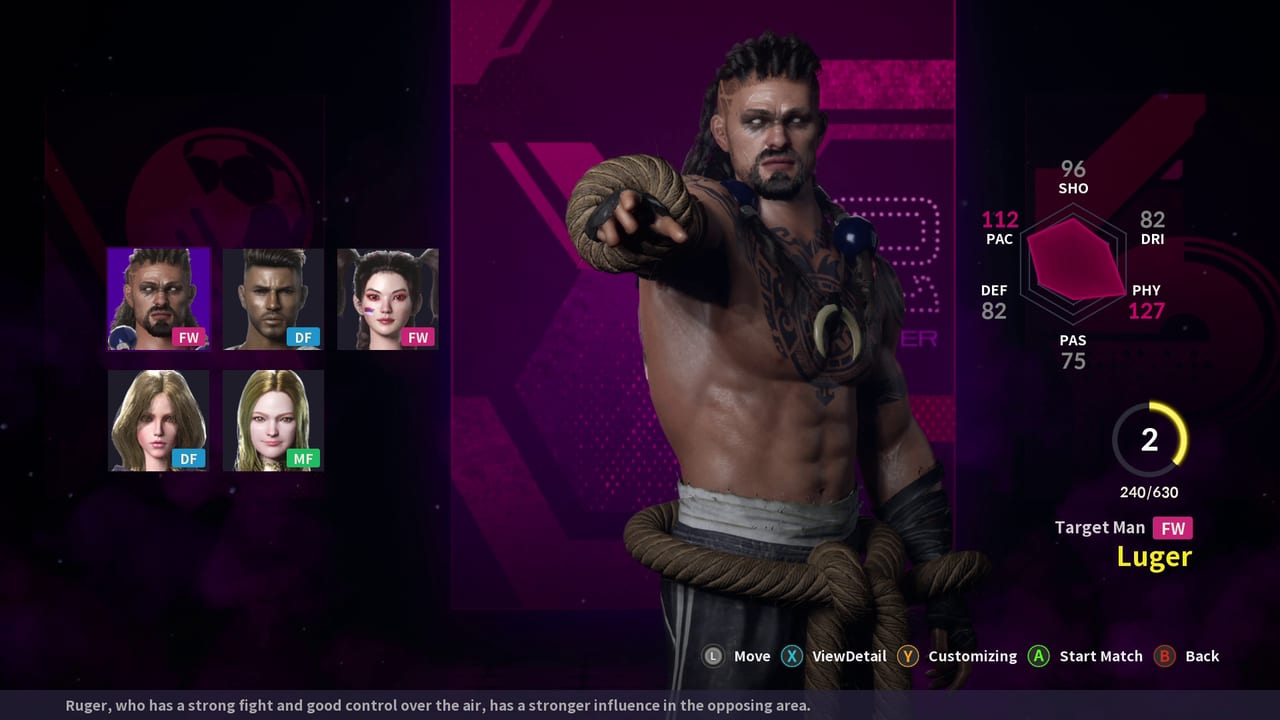
Extreme Soccer ships with full controller support on Steam, which makes a gamepad the most natural fit for many players. Analog movement helps you jockey, curve into wall exits, and adjust shot approach without the binary feel of pure key taps. This page covers how to think about gamepad play in 3v3 street soccer, how to structure your button habits, and how controller users should practice physics walls, assisted passes, and character skills. Face-button labels differ across Xbox-style and PlayStation-style pads, so focus on roles (pass, shoot, skill, tackle, sprint) and confirm glyphs in your own client.
For the shared overview, stay oriented via the Controls Hub. If you still prefer PC keys, compare notes with the keyboard and mouse guide.
Why controller fits this game
Extreme Soccer is not a menu-heavy RPG; it is a bounce-heavy sports brawler in miniature. Controller strengths map cleanly:
- Analog stick movement for soft first touches and shoulder feints
- Trigger or bumper sprint for pressure without losing turn radius as harshly as keyboard slam-sprint
- Clustered face buttons for pass / shoot / skill under fatigue
- Comfort in long sessions when lobbies finally fill
Because you lock to one character for the match, stick movement quality is your entire defensive identity. A controller player who masters jockey angles will generate intercepts that keyboard panic tackles cannot.
Suggested mental layout
Bind or remember actions in this priority order:
- Left stick — position and body shape
- Pass — primary team action
- Shoot — finish when the lane is real
- Sprint — temporary separation or close-down
- Skill — cooldown special tied to your roster pick
- Tackle — selective disruption
If your pad lets you put pass on a high-confidence button, do it. In 3v3, incomplete passes are more common losses than missed wonder goals. The assisted pass system rewards a clear press when a teammate is open across the court; it does not reward mashing while facing your own goal line.
Analog movement drills
Spend warm-ups on stick discipline:
- Trace the wall at half speed while the ball moves on the far side.
- Practice stopping on a dime before receiving — deadstick control beats full tilt.
- Approach 50/50 balls slightly off-center so you can pivot to pass in one motion.
- Defend with small stick taps instead of holding full sprint at attackers who still have close control.
Wall play becomes easier on sticks because you can arc into the rebound cone. Aim your hips toward the exit lane before the pass hits the board.
Passing and team play on pad
Invite friends when you can; Steam achievements even track inviting online friends for team sessions. Controller team play tips:
- Pass, then immediately take a supporting angle with the stick — do not admire the pass.
- Use walls to skip a central marker; sticks make the approach curve readable.
- Call for the ball with positioning more than chat spam: be open, face the passer, create a triangle.
- If two teammates collapse onto one side, hold the weak side instead of joining the swarm.
Assists and MVP patterns favor players who recycle under pressure. Controller users should treat pass as the default pressure release.
Shooting with sticks
Stick shooting mistakes usually come from over-aiming while sprinting. Try this cadence:
- Release sprint a half-beat before shoot.
- Open your body with the stick toward the intended corner or bank.
- Shoot once; do not double-tap into a second accidental action.
- If the shot is blocked, recover on a defensive stick arc instead of standing still.
Bank finishes are legal and encouraged by the physics pitch. A soft stick adjustment into the wall angle often beats a max-power central drive.
Skills on cooldown — controller discipline
Unique character skills are a headline feature of the five-person roster. On a pad, skill often sits near shoot, which creates misclicks. Fix that with rules:
- Announce to yourself the skill’s job before the match (escape, finish setup, disruption).
- Never spend skill as your first action of a possession unless it breaks a press.
- After skill, be ready to pass — many specials create a second ball for a teammate.
Deepen this with abilities and cooldowns, then confirm your archetype on the roster page. Tier context lives under character tiers and the broader Tier List Hub.
Defense and tackle etiquette
Controller tackling feels great and is easy to overuse. Keep a personal budget:
- First option: stick positioning and intercepts.
- Second option: body up without committing.
- Third option: tackle when the attacker’s touch fires loose.
Achievement hunters will chase Tackle and Intercept counters; competitive players will chase clean possessions. If you are the backline in a three-player shell, your stick is a shield, not a diving animation generator.
Lobby, menus, and full support expectations
Steam’s full controller support flag means you should be able to drive core play with a pad. Still, Early Access sports titles sometimes leave awkward menu edges. If a lobby screen is stickler-y:
- Re-seat the USB or wireless pad before matchmaking.
- Confirm the controller is the active Windows gamepad.
- Keep keyboard nearby as a fallback for rare UI focus issues, then return to pad for kickoff.
Do not let menu friction convince you the match controls are unsupported — in-match gamepad play is the intended comfort path for many owners.
Competitive habits for a small playerbase
Extreme Soccer’s store presence was delisted for new buys around December 2021 after a February 2021 Early Access launch. Population is limited. That changes controller practice strategy:
- Warm up alone with movement and wall routines before you find a lobby.
- Play fewer, more focused matches instead of button-mashing for volume.
- Duo or trio queue with friends when possible for real assisted-pass reps.
- Review whether turnovers came from stick oversteer, late tackles, or greedy skills.
Twelve Steam achievements still give you personal goals: first score, wins, hat tricks, MVP counts, streaks, and team invites. Use them as practice targets, not as excuses to ignore team shape.
Session plan for pad players
- Calibration — five minutes of half-speed wall tracing.
- Pass triangles — ten assisted passes with purposeful stick support runs.
- Finish set — five rebound shots with sprint released before shoot.
- Skill script — three intentional specials tied to a clear trigger.
- Match block — play, then note one controller fix for next time.
Related pages
- Controls Hub — overview and shared priorities
- Keyboard & mouse — alternate PC path
- Characters Hub — who you are steering
- Playstyle tiers — wall passer vs skiller vs poacher on sticks
Controller Extreme Soccer rewards patience on the left stick and clarity on the face buttons. Master movement and wall-aware passing, spend skills like limited resources, and tackle only when the ball is truly loose.
Frequently Asked Questions
Quick answers to the most common questions.
Does Extreme Soccer really have full controller support?
Yes. Steam lists full controller support for the game. Confirm your pad is active in Windows, then practice in-match pass, shoot, and skill roles on the face-button cluster.
Xbox or PlayStation pad — which is better?
Either works if the OS recognizes it. Choose the shape you can hold for long sessions; button roles matter more than brand.
How should I defend on a controller?
Use small stick adjustments and intercepts first. Tackle only when the attacker’s touch is heavy so you do not open a tunnel behind you.
When do I press skill on pad?
When the special creates a second action for you or a teammate. Avoid spending it the instant cooldown returns if nobody is ready to finish.
Can I mix keyboard and controller?
You can keep keyboard as a menu fallback, but pick one primary scheme for matches so muscle memory stays clean.