How to Find Matches in Extreme Soccer
Realistic matchmaking advice for Steam owners still hunting 3v3 games after purchase was disabled.
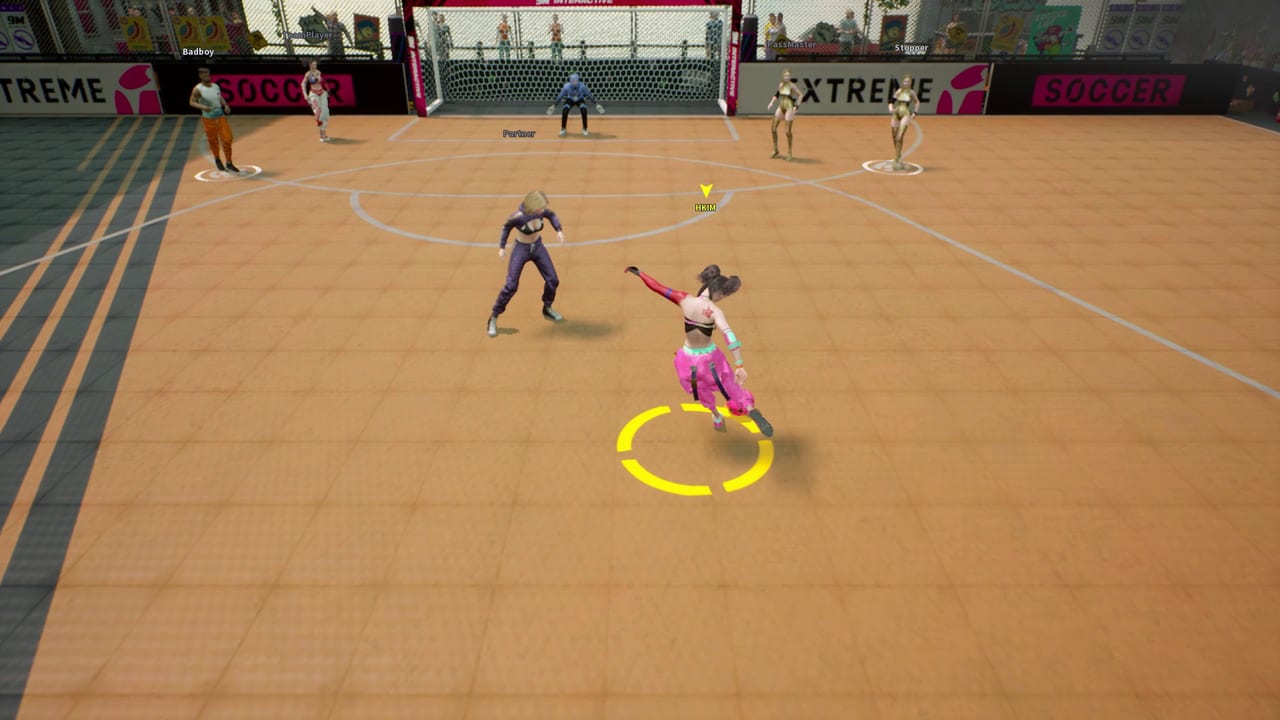
Finding a match in Extreme Soccer today is a different skill from learning how to shoot. The game is an online 3v3 street soccer title from 9M Interactive (Steam AppID 1477730). It entered Early Access on February 4, 2021, earned Mixed reviews around sixty-four percent positive, and had new purchases disabled in December 2021. Owners can still launch from their libraries, but the public player pool is thin. That reality shapes every queue tip on this page.
If you need ownership clarity first, read Steam Status. If you need the sport basics before you worry about lobbies, start with How to Play. If you already have friends who own the game, skip straight to Invite Friends — coordinated parties beat random queue more often than any matchmaking trick. When you do get into a live contest, convert the session with How to Win. Broader systems live under Controls, Players, Tier List, Tools, Review, Updates, and the Links Hub. Return anytime through the Guides Hub.
What “matchmaking” means for a delisted owner community
Extreme Soccer was designed around online multiplayer. The store pitch still describes 3v3 matches, assisted team passes, physics walls, five characters, full controller support, and twelve achievements. None of that changes the post-delist constraint: every human opponent or teammate must already own the title. You are not searching a growing storefront audience. You are searching a closed owner set that may log in at irregular hours.
Treat matchmaking as three layered problems:
- Can the client find anyone? — Steam online status, install integrity, and a successful launch.
- Can it fill a 3v3 lobby? — remaining humans, possible bot fill, or incomplete parties.
- Is the match worth your practice time? — even bot-heavy games can train walls and ability timing if you set a focus.
Community discussions have long called out low concurrent players and bot-filled sessions as pain points. This guide assumes those reports are directionally true without promising a specific peak-hour chart that Steam no longer markets.
Pre-queue checklist that actually matters
- Confirm Extreme Soccer is in your Steam library and launches cleanly — details on Steam Status.
- Set Steam to Online, not Offline or Invisible if that has blocked friends before.
- Warm up bindings with Controls so you do not waste a rare live lobby fumbling inputs.
- Pick a character plan from Players or Tier List before you click queue.
- Message owners you know and open Invite Friends instead of solo queueing first.
- Decide a session goal: one win script from How to Win, one wall drill, or one achievement push from Updates.
Skipping steps one through three is how people blame “dead servers” for local launch issues. Skipping step five is how people burn an evening in empty or bot-heavy queues when a three-owner party was one chat message away.
Solo queue expectations
Solo queue is still the default path many returning owners try. Be honest about outcomes:
- Best case: you find humans quickly and play readable 3v3 street soccer.
- Common case: wait times stretch, or the lobby fills with weaker AI stand-ins.
- Worst case: you abandon after long silence and assume the product is fully offline.
Bots are a known frustration in player chatter, but they are also a free training tool if you refuse to rage-quit. Use quiet matches to practice intentional wall banks from Wall Physics, finishing angles from How to Score, and cooldown discipline from How to Play. Do not measure your skill ceiling only against bot keepers; measure whether your touches would survive a human press.
If solo queue repeatedly fails during your available hours, stop treating it as the main plan. Extreme Soccer’s remaining competitive value concentrates in owner parties.
Party-first matchmaking (the reliable path)
A full or partial party of owners changes the problem from “find six strangers” to “find the missing seats.” Two friends who already own the game can often create a usable session even when public population looks dead. Three owners who agree on roles can chase wins, assists, and invite achievements together.
Practical party workflow:
- Agree a start time in Steam chat or Discord before anyone queues.
- Launch Extreme Soccer within the same five-minute window.
- Invite through Steam / in-game friend flows described in Invite Friends.
- Assign presser, wall-setter, and late-runner jobs from Team Play.
- Play a best-of block — rematch while chemistry is warm instead of dissolving after one loss.
- End with a short review: which wall side failed, who double-pressed, who wasted abilities.
This is also the sane route for the Team Player achievement line tracked on Achievements. Invite volume is a social goal; match quality is the competitive goal. Party play serves both.
Timing, regions, and patience rules
This wiki will not invent a fake peak schedule. Instead, use evidence from your own library friends list:
- Watch when owners you know go online.
- Prefer weekend blocks and evening windows in your region when several friends can overlap.
- Avoid rage-queueing for an hour alone after midnight if your friend list is dark.
- Keep a short secondary goal — control drills, character compare notes from Tools — so a failed public search still feels productive.
If you are comparing experiences with older street-soccer titles people mention on Steam forums, read Extreme Soccer vs Freestyle-Style Street Soccer for an honest expectations frame. Population nostalgia from bigger games does not transfer automatically to a delisted Early Access niche title.
How to judge a “good enough” lobby
Accept a lobby when at least one of these is true:
- You have two human teammates and can practice real rotations.
- You have human opponents even if your own side is mixed.
- You are grinding a mechanical habit and bots will not teach bad shot timing.
Decline or leave when:
- Input latency makes wall banks unreadable.
- The session is only generating frustration with no drill focus.
- You could have invited owners who are online right now instead.
Leaving is not failure. Re-routing to Invite Friends is often the higher-skill decision.
Match found — now what?
The second the lobby locks, shift from searching mode to match plan mode:
- Confirm your character and ability fantasy.
- Call opening press responsibility.
- Protect one wall edge on the first defensive possession.
- Take the first clean assisted outlet instead of forcing a hero dribble.
- Play the clock habits from How to Win once a lead appears.
Rare human matches are too valuable to waste on ego carries. Treat each one like a scrimmage worth notes.
Troubleshooting empty results
| Symptom | First check | Next step |
|---|---|---|
| Game will not launch | Verify Steam files | Steam Status + support links on Wiki |
| Friends cannot join | Ownership and online status | Invite Friends |
| Queues never fill | Population / time of day | Schedule a party; stop endless solo retries |
| Lobby feels bot-heavy | Accept as drill or leave | Practice walls/abilities; rematch humans later |
| You win but learn nothing | No session focus | Pick one goal from How to Win |
Mindset for a low-population sport game
Extreme Soccer’s Mixed review snapshot and quiet concurrent counts do not erase the fun of physics street 3v3 when a lobby clicks. They do mean you should budget time differently than you would for a living Free-to-Play football MMO. Plan invites first, public queue second, bot drills third. Keep the Review page in mind so your expectations match a delisted Early Access product rather than a constantly patched esports client.
When matchmaking cooperates, deepen the sport through How to Play, How to Score, Team Play, Wall Physics, and How to Win. When it does not, organize owners, chase achievements, or study systems offline with Tools. Finding matches in Extreme Soccer is less about a hidden queue button and more about reading the owner community you still have.
Frequently Asked Questions
Quick answers to the most common questions.
Why are Extreme Soccer queues so empty?
New purchases were disabled in December 2021, so matchmaking only searches remaining owners. Low concurrent players are a known community pain point.
Are bots normal in Extreme Soccer lobbies?
Players often report bot-filled or quiet sessions. Use them for wall and ability drills, or switch to inviting owners instead of endless solo queue.
What is the best way to get a real 3v3?
Party with friends who already own the game. See Invite Friends, then run roles from Team Play and close matches with How to Win.
Can new players still buy in to join my lobby?
Not through the normal Steam store Buy path. Ownership details are explained on Steam Status.
Should I keep solo queueing for an hour?
Usually no. Cap solo attempts, message online owners, and keep a practice goal so empty public search time is not wasted.
Where do I go after I finally find a match?
Apply How to Play fundamentals immediately, then specialize with How to Score, Wall Physics, and How to Win.